 Baggel
Status
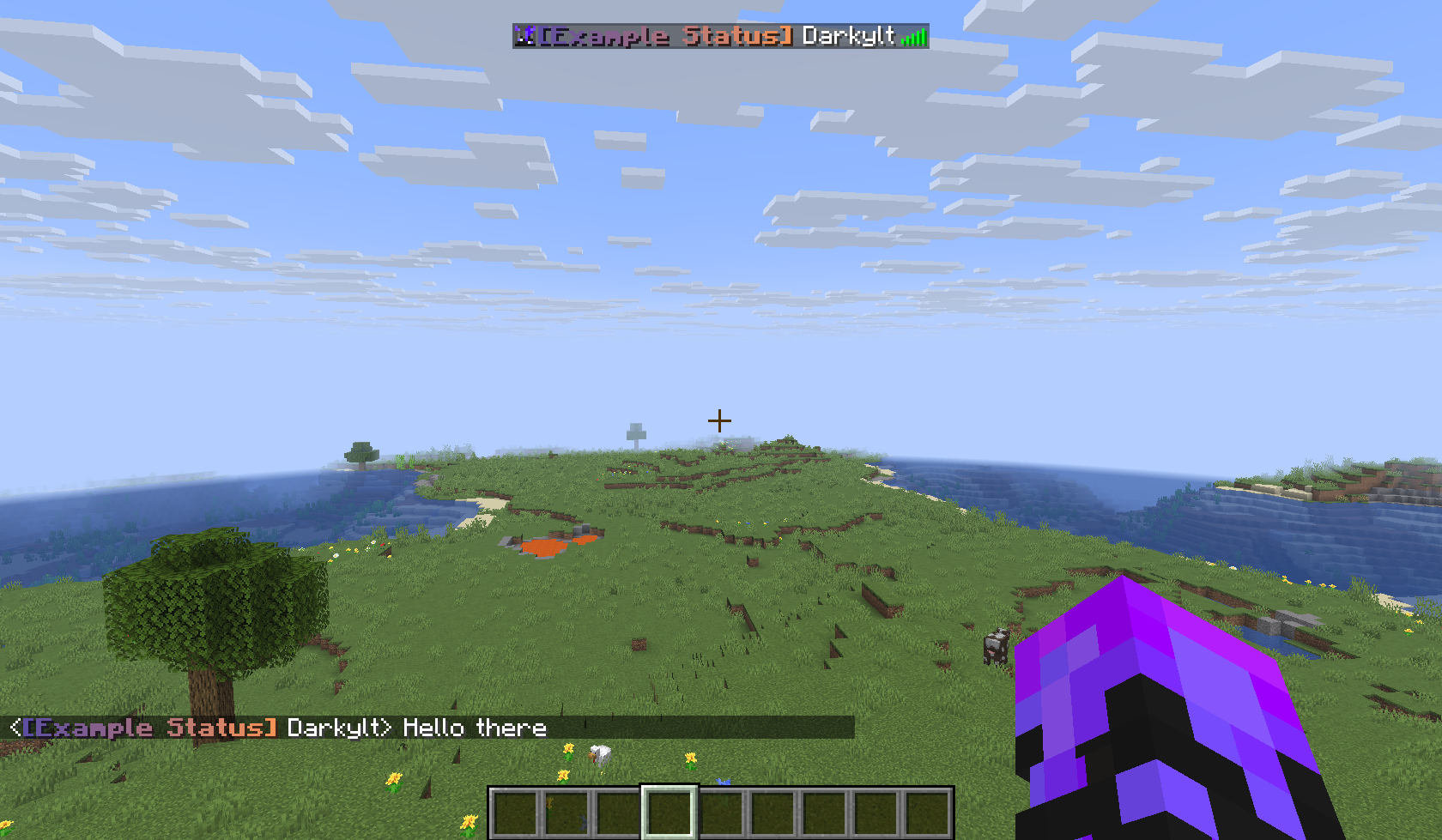
The Status System allows players to display short, colorful tags in front of their names. This page explains how to configure and manage statuses as an administrator. For how to use statuses, please refer to the Player Status Documentation.
Statuses are defined in the status.yml. A basic status entry looks like this:
example:
  display-name: "<b><gradient:#5e4fa2:#f79459>[Example Status]</gradient></b><reset> "
They key (example in this case) is the ID of the status. It’s the value by which players will refer to the status in their command (e.g. /status set example). IDs can container lowercase and uppercase letters and numbers, but cannot include spaces or characters that can’t be typed in Minecraft chat, for obvious reasons.
The display-name is the actual tag content. It is a formatted String using the MiniMessage format.
We recommend you to use our own MiniMessage Editor to design your status.
You can alternatively also use the Official MiniMessage Viewer or the RGBirdflop Editor (if you set Color Format to MiniMessage).
Formatting considerations:
The player name will be directly appended to the end of display-name. That means formatting from the display-name can carry over into the player name. This is deliberate, as it can be used intentionally to create cool effects:

However most players expect their player name to get the default formatting. Meaning, when adding a tag, admins should always include a <reset> tag and a trailing space at the end of display-name, so that it appears as intended by players:

Restricting Access
You can limit who can use specific statuses by adding either a permissions key or a teams key. Both accept a list of values, so you can specify multiple entries if needed.
Example: Permission-based Status:
In this example only players with the buildmc.admin permission are able to use this status.
admin:
  display-name: "<bold><red>[</red></bold><gradient:#ff0020:#dd0010>Admin</gradient><bold><red>]</red></bold><reset> "
  permissions:
    - buildmc.admin
Example: Team-based Status:
In this example only players that are a member of the team red are able to use this status.
red-team:
  display-name: "<color:#ff0505>[Red]</color><reset> "
  teams:
    - red
When a player tries to set a status, the system will automatically check whether they have the required permission or belong to one of the allowed teams.
Reloading
After modifying or adding statuses in the configuration file, you can use /buildmc status reload for changes to take effect, without requiring a server restart.
A well-configured status setup keeps things visually appealing, organized, and fair for all players.