 Baggel
End Event System
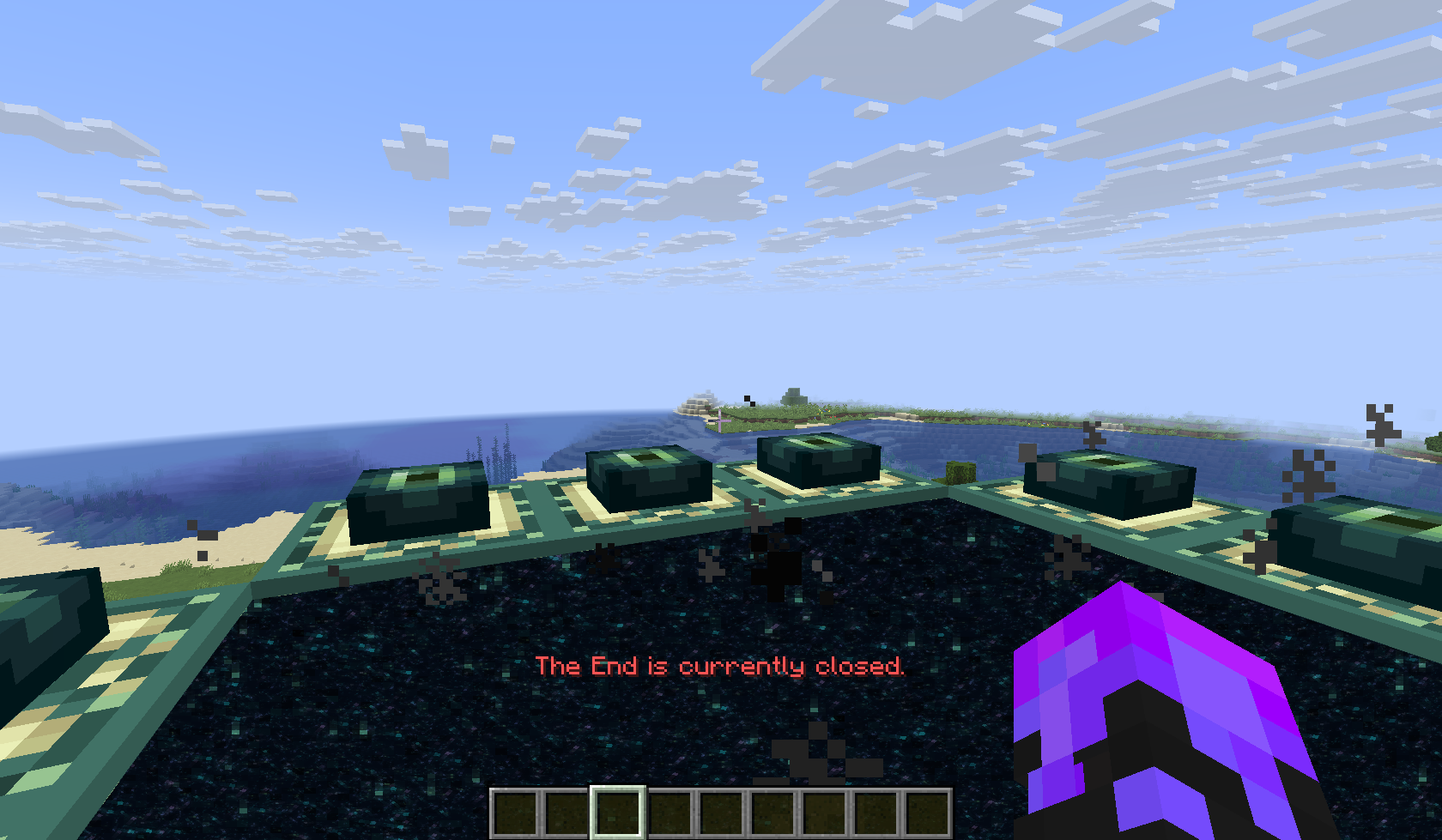
In most BuildMC events, the End Dimension is closed at the beginning of the project. A specific date is later chosen for the community to open the End and fight the Ender Dragon together.
Previously, this was managed manually through the server.properties file, requiring a full server restart, a tedious process. The End Event System was introduced to automate this, allowing real-time control of the End portal state directly in-game, without requiring a restart.
This option has since been introduced as a gamerule to vanilla Minecraft. Meaning in modern versions a server restart is no longer required. The End Event System still provides value however, because of informative Action bar message and announcement to players when the end opens. The End Event System works independently of the gamerule.
By defautl, the End is blocked and players cannot enter End Portals.
Administrators can open it instantly with:
/buildmc endevent openExecuting this command broadcasts a global announcement and immediately allows access to the End. The current End state can also be modified in the config file, but using the command is recommended, as it updates instantly without requiring a restart.
Configuration
The End Event settings can be found in the config.yml.
By default, explosivee entities are blocked from entering End portals to prevent destruction near spawn. It is still strongly recommended to protect the spawn area with a claim that prevents destruction entirely.
# The End-Event settings
# Use '/buildmc endevent allow true/false' to set if players should be able to enter the end dimension
end-event:
  # NOTE: Can be overwritten by the '/buildmc endevent' command
  allow-end: false # Default: false

  # List of entity types that should be blocked from going through end portals.
  # Done to prevent destruction of the spawn
  blocked-entities:
    - TNT
    - TNT_MINECART
    - CREEPER
Customizing Messages
The broadcast message shown when the End is opened or closed comes from our language system. Meaning a different message will be shown depending on what language the player has selected in their game. To edit these messages, admins are required to edit the language files.
These files are located at: plugins/BuildMC-Core/lang
Within each language file(e.g., en-US.yml), find and modify these keys:
messages:
  end-event:
    broadcast-opened: "<green>The End has been opened! Prepare for the fight!"
    broadcast-closed: "<red>The End has been closed!"
Update all relevant language files to ensure consistency across client languages. Restart the server after editing to apply changes.
Tip: Keep your broadcast short and clear, it’s a moment everyone will see.